Skip to content

Create Resource Pools

Last updated on

When you initially navigate to “File Storage > Resource Pools”, you will be able to create new Resource Pools. Please not, that a Resource Pool is always connected to the STACKIT Network Area (SNA) of the project, in which the File Storage is activated - this can be restricted via Share Export Policies separately.
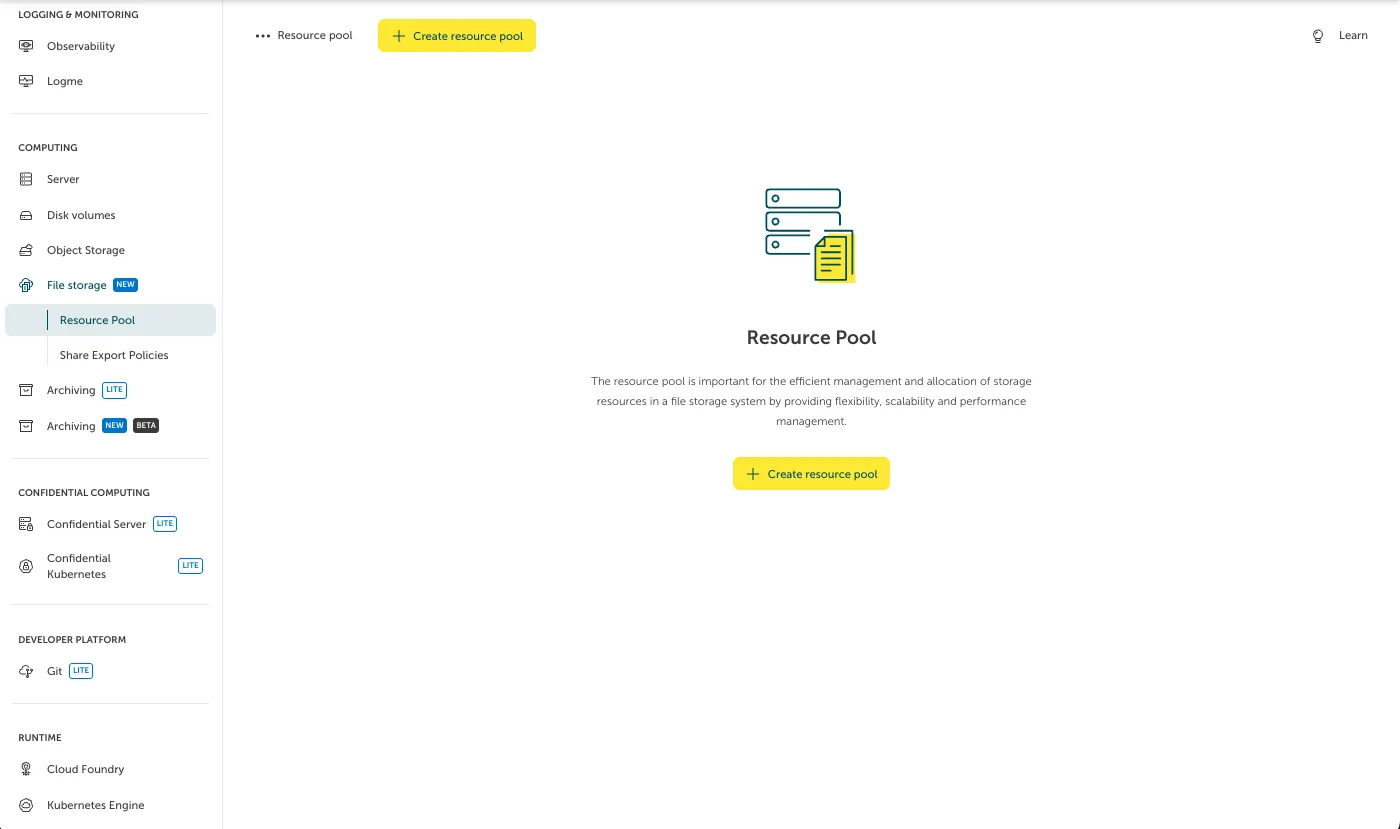
Screenshot of the initial empty "Resource Pool" dashboard in the STACKIT Portal under the "File storage" navigation section. The main content area features a central icon depicting storage servers and a document, followed by a title and a description explaining the importance of resource pools for storage management. Two yellow "Create resource pool" buttons are available, one at the top and one in the center, to start the creation process.

After clicking on “Create Resource Pool”, a form will appear where you can fill in the information regarding the desired Resource Pool. Amongst others, you can choose the name, performance class and size (in GB). Once you filled in all the mandatory information, you can create the Resource Pool by clicking on “Order fee-based”.
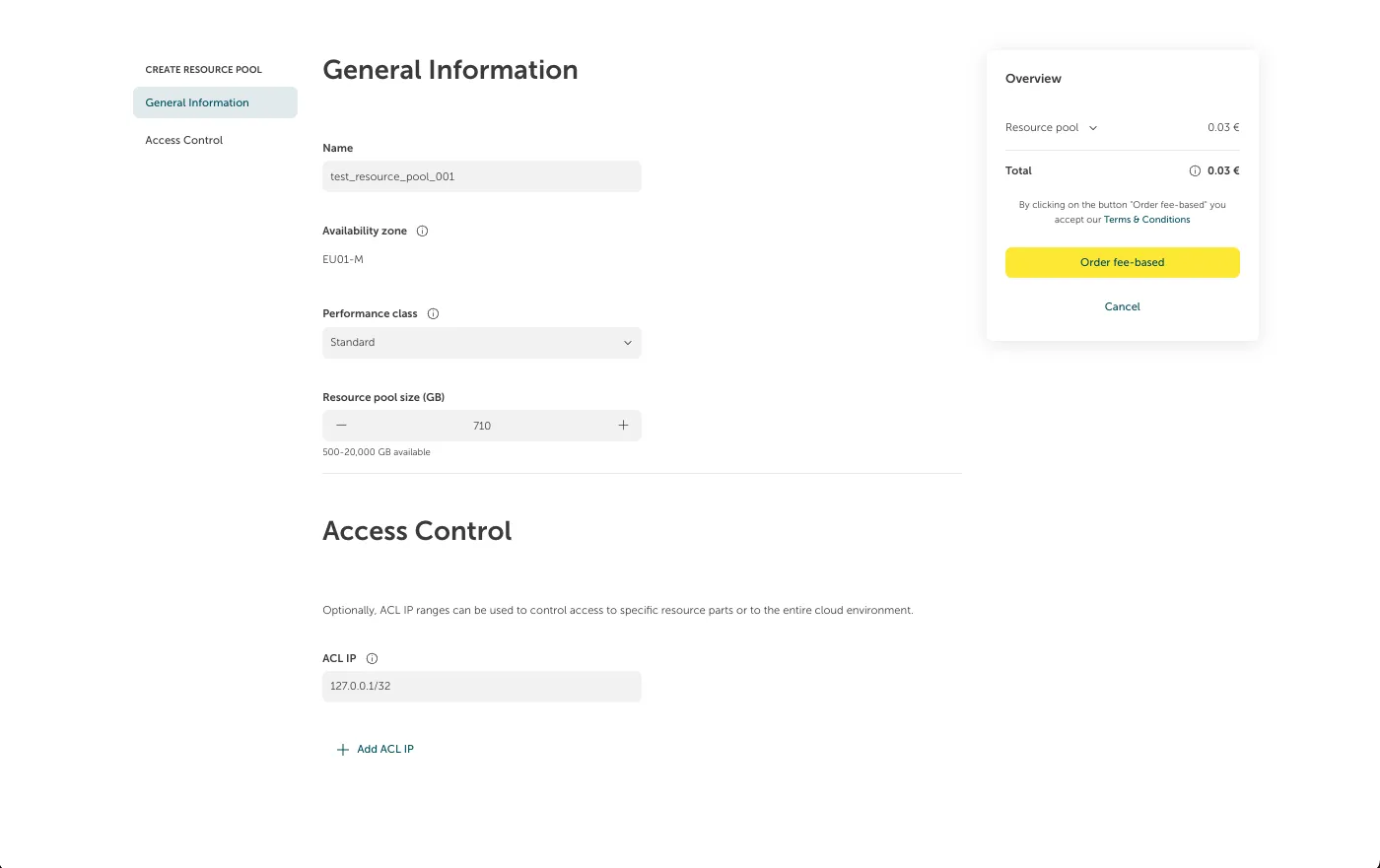
Screenshot of the "CREATE RESOURCE POOL" order form in the STACKIT Portal. The page displays configuration fields under "General Information" populated with a name of "test_resource_pool_001", availability zone "EU01-M", standard performance class, and a size of "710" GB. Below it, the "Access Control" section shows an input box with the ACL IP. On the right side, an "Overview" billing card displays a total estimated cost of 0.03 € along with a prominent yellow "Order fee-based" action button.

After creation, you will see the newly created Resource Pool listed in the Resource Pool page.
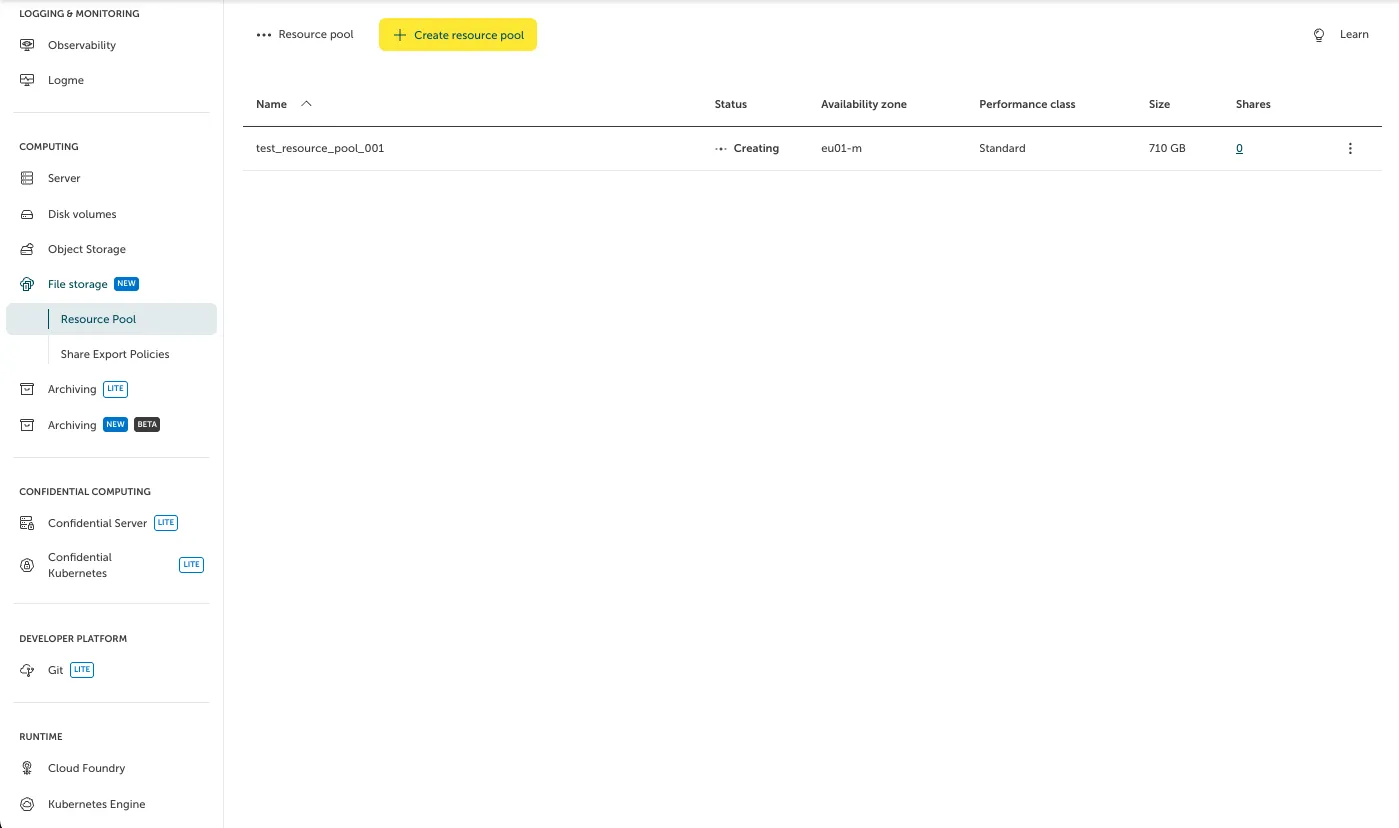
Screenshot of the "Resource pool" overview table in the STACKIT Portal interface, showing the creation progress. The table lists the newly created resource pool "test_resource_pool_001" with a temporary loading status of "Creating" alongside three animated dots. The item details indicate it is being deployed in availability zone "eu01-m" with the "Standard" performance class and a size of "710 GB".